
A project-management spreadsheet is only useful when it matches the job you are trying to manage. A timeline helps with dates and milestones. A work breakdown structure helps define the scope. A work plan helps assign and follow the work. A Kanban board helps you see workflow status. A calendar helps when shared dates and events are the main problem.
This guide compares the Simple Office AI project-planning templates so you can choose the one that fits your project without building another spreadsheet from scratch. If you are still at the higher-level planning stage and need goals, initiatives, owners, and target dates before detailed execution, start with the Google Sheets roadmap template.
Quick comparison: Which project management template should you use?
| Template | Best for | What it tracks | Current SOAI format | Choose it when |
|---|---|---|---|---|
| Project Timeline | Schedule and milestones | Tasks, owners, start/end dates, dependencies, milestones, progress | Excel + Google Sheets copy | You need to see what happens when and what may slip |
| Work Breakdown Structure | Defining project scope | Phases, deliverables, tasks, owners, dates, hours, status | Excel + Google Sheets copy | The project is too large for one flat task list |
| Work Plan | Day-to-day execution | Actions, owners, priorities, dates, progress, dependencies, next steps | Excel + Google Sheets copy | You know the scope and need a practical action system |
| Kanban Board | Workflow and task status | Tasks, owners, priorities, due dates, stages, blockers, progress | Excel only at present | You mainly need to see work move from To Do to Done |
| Calendar | Shared dates and events | Events, owners, dates, status, monthly schedule | Google Sheets + spreadsheet download | Your main question is what is happening on each date |
If you only need one template, start with the decision you need to make most often. Do not copy the same project data into five files unless each file has a clear job.
1. Project Timeline Template
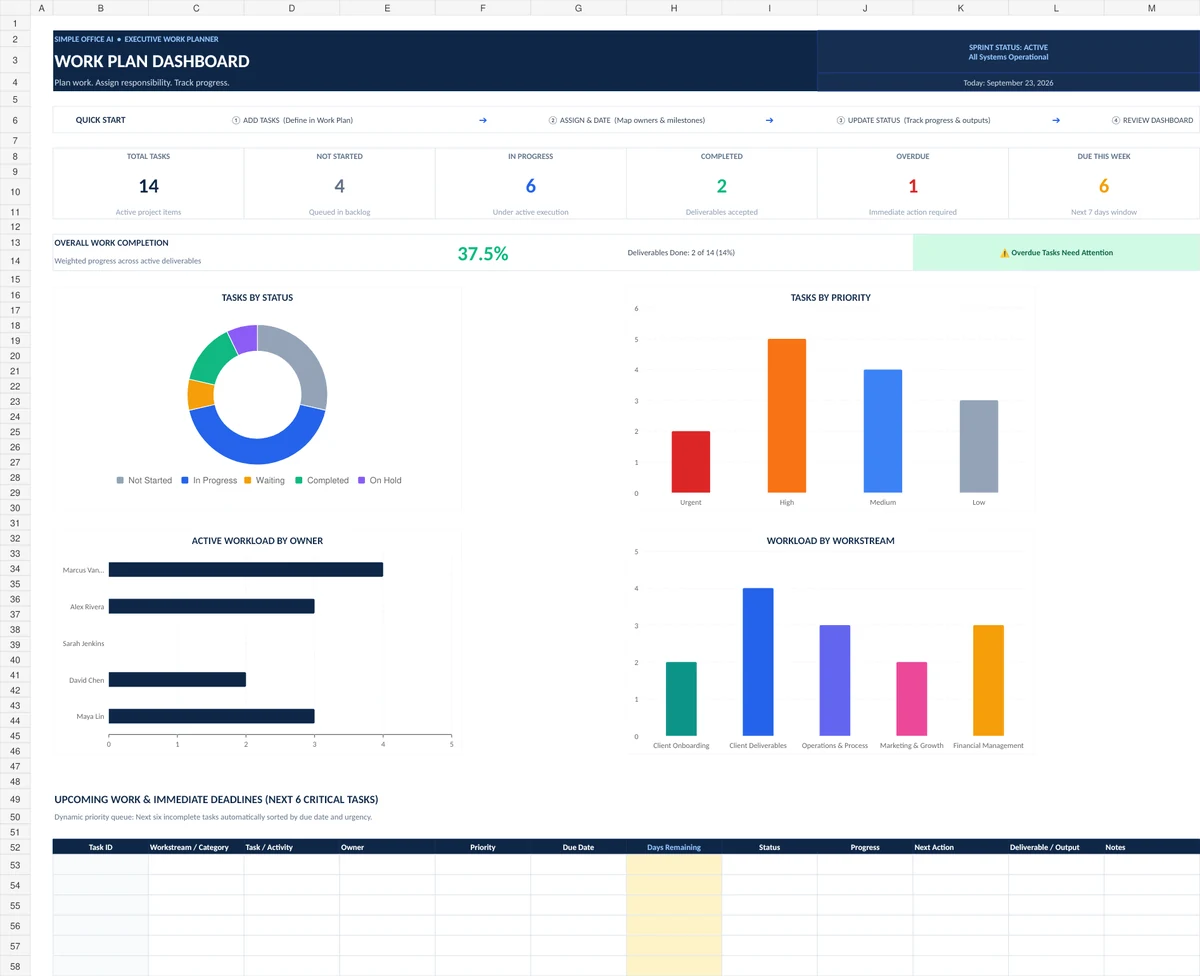
Use a project timeline when schedule visibility is the main problem. It puts tasks, dates, milestones, dependencies, and progress on the same time-based view.
This works well for a website launch, office move, client delivery, campaign, onboarding project, or another project where several tasks need to happen in sequence. It is especially useful when you need to answer questions such as: What is due next? Which milestone is at risk? Which task is holding up the next step?
A timeline is not the best starting point when the scope is still unclear. If you have not yet broken the project into phases and tasks, start with the WBS template first.
2. Work Breakdown Structure Template
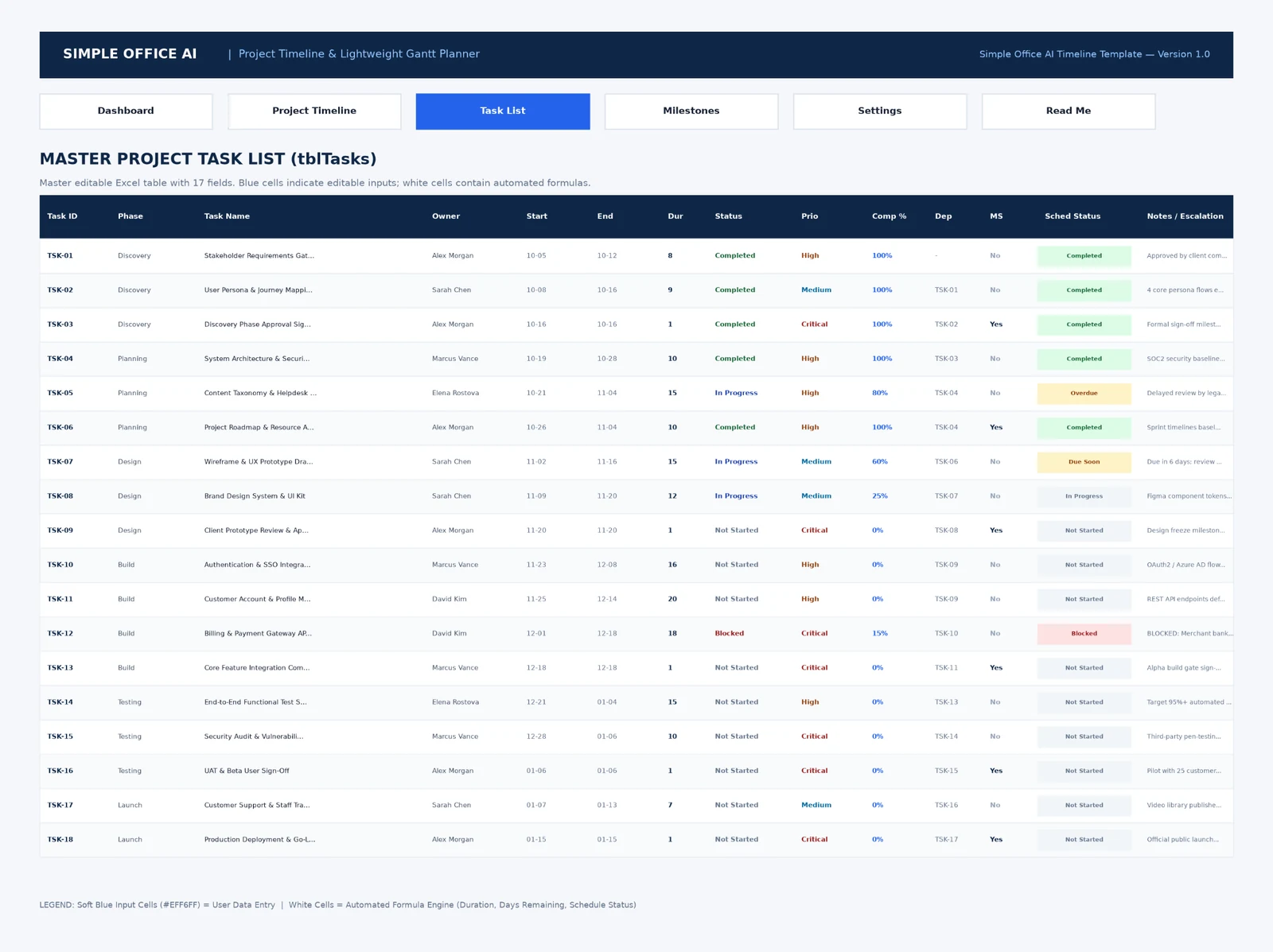
A work breakdown structure is for deciding what the project actually contains. Instead of starting with one long task list, you separate the work into levels such as phases, deliverables, and actionable tasks.
Choose the WBS template when a project feels too large or vague to assign directly. It helps you make sure major pieces of work are not missing before you start scheduling them.
It is less useful as the only day-to-day tracker. Once the scope is clear, a work plan or timeline usually gives you a better operating view for owners, priorities, dates, and progress.
3. Work Plan Template
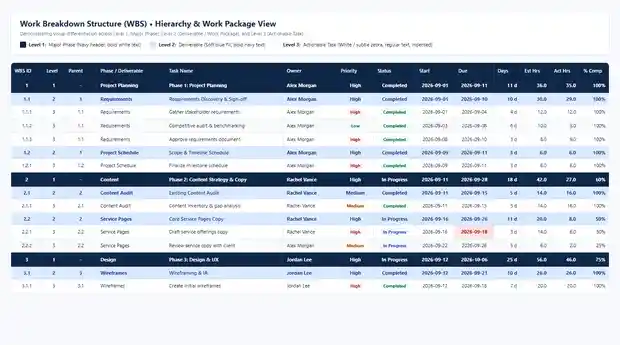
A work plan is the strongest all-purpose choice in this group when the project scope is already known and you need to manage the work itself.
It tracks actions, owners, priorities, dates, progress, dependencies, outputs, and next steps. That makes it useful for client projects, small internal initiatives, recurring improvement work, and projects where a small team needs one practical operating sheet.
Choose the work plan when you need more detail than a calendar but do not need a dedicated project-management platform. Do not choose it just because it has more fields. If dates and milestones are the only real problem, the timeline is simpler.
4. Kanban Board Template
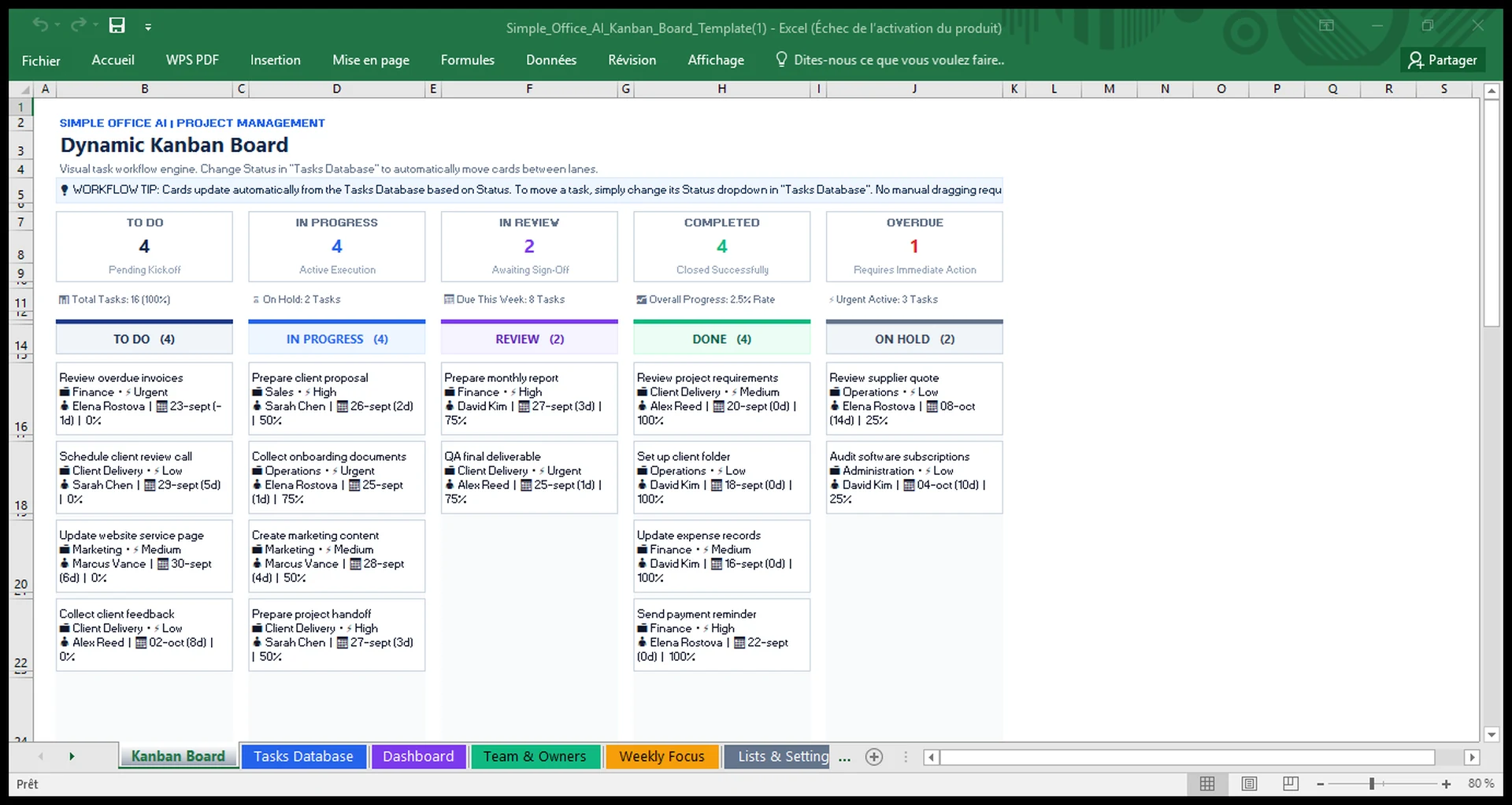
Use a Kanban board when the main question is where each task sits in the workflow. A board makes it easy to scan work by stage, for example To Do, In Progress, Review, Done, or On Hold.
This is useful for content production, client deliverables, design work, service jobs, and other workflows where tasks move through a repeatable set of stages.
A Kanban board is not a replacement for a detailed project schedule. It can show due dates and progress, but a timeline is better when sequence, overlap, milestones, and schedule risk matter more than workflow state.
Current format note: the Simple Office AI Kanban template is currently built and QA-tested for Excel 365. A separate Google Sheets version has not been created or tested, so this hub does not claim Google Sheets compatibility for that file.
5. Calendar Template
A calendar is the right choice when the project is mostly about shared dates, events, appointments, launches, meetings, or deadlines.
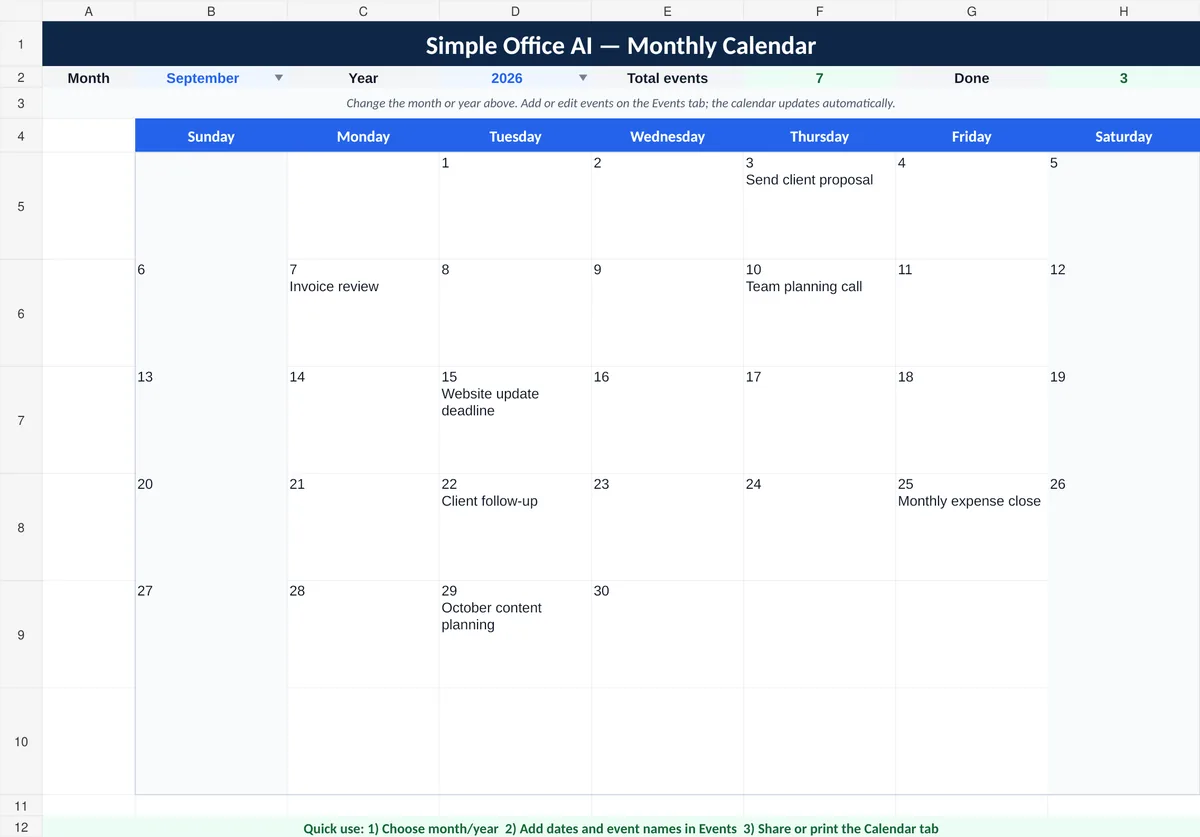
The Simple Office AI Google Sheets calendar gives you a monthly view plus an events table. It works well as a lightweight shared planning layer when the team does not need detailed task dependencies or a large project tracker.
Do not use a calendar as the only project system when you also need clear task ownership, priorities, dependencies, or progress. A date on a calendar tells you when something happens. It does not replace the work plan behind it.
Which templates can you use together?
You can combine templates when each one answers a different project question. A practical planning sequence is:
- WBS: define the phases, deliverables, and tasks.
- Work Plan: assign owners, priorities, dates, outputs, and next actions.
- Timeline: place the scheduled work and milestones across time.
- Kanban: use a board when the team benefits from a workflow-stage view.
- Calendar: surface the dates and events people need to see quickly.
You do not need every step. A freelancer running a two-week client job may only need a work plan. A small team launching a new service may benefit from a WBS first, then a work plan and timeline. If everyone already works from a timeline, adding a second task file with the same information can create more maintenance than value.
If you want to stay entirely in Google Sheets, use the templates that have an existing Sheets copy and treat the current Kanban workbook as an Excel-only option.
When Google Sheets is enough and when it is not
Google Sheets can be enough for a freelancer or small team when the project is simple enough to review in one shared spreadsheet. It works well when you mainly need tasks, owners, dates, status, progress, a few formulas, and straightforward sharing.
It is also practical when the team already knows Sheets and does not need to learn another system. Google supports working with Excel files in Drive, importing them into Sheets, and converting them to Sheets. Compatibility is not automatic for every workbook, so use the prepared Google Sheets copies when Simple Office AI provides them and check the notes on each template page. Google explains the available Excel-to-Sheets workflows here.
Dedicated project-management software becomes more useful when the spreadsheet itself starts creating work. Common signs include:
- many projects with overlapping teams;
- frequent task dependencies and schedule changes;
- automatic reminders or recurring workflows;
- client portals or controlled guest access;
- time tracking tied to tasks or billing;
- resource and workload planning across many people;
- multiple views that need to stay synchronized automatically.
If that sounds closer to your situation, compare the project management software options for freelancers before adding more sheets to the system.
FAQ
What is the best Google Sheets project management template for a small business?
The best template depends on the problem you need to solve. Use a timeline for schedules and milestones, a WBS for scope, a work plan for day-to-day execution, and a calendar for shared dates. If workflow stage is the main issue, the current Simple Office AI Kanban option is available in Excel.
Can I use an Excel project template in Google Sheets?
Google Sheets can open, import, or convert many Excel files, but formulas, tables, formatting, and other features can behave differently. Use an existing Google Sheets copy when the template page provides one. The Simple Office AI Kanban workbook is not currently claimed as Google Sheets compatible because a separate Sheets version has not been QA-tested.
Should I use a WBS or a work plan?
Use a WBS when you first need to break the project into phases, deliverables, and tasks. Use a work plan when those tasks are known and you need owners, priorities, dates, progress, outputs, and next actions.
Can I use a WBS, work plan, and timeline together?
Yes, when the project is large enough to justify separate views. Start with the WBS for scope, move the actionable work into the work plan, then use the timeline for schedule visibility. Avoid maintaining the same information manually in several files when one source can do the job.
Is a Google Sheets calendar enough for project management?
It can be enough for simple scheduling, meetings, deadlines, and shared events. It is not a full project tracker when you need task ownership, dependencies, priorities, blockers, or detailed progress.
When should a small business move from Google Sheets to project management software?
Move when coordination overhead becomes the bigger problem than the work itself. Repeated reminders, complex dependencies, many collaborators, client access, time tracking, or cross-project workload planning are common reasons to test dedicated software.