

A missed deadline often starts with a small detail: a client’s feedback stays in an email, a revision has no due date, or the next task is buried in a spreadsheet.
For a freelancer who mainly needs a clear board of client work, Trello is our starting recommendation. Choose ClickUp when tasks and tracked hours need to stay together, Notion when briefs and project notes drive the work, or Paymo when the link between hours and billing matters most. Asana suits more structured collaboration. Bonsai deserves a look when you also need a client portal, proposals, and contracts.
The best project management software for freelancers is the tool that fixes your daily bottleneck at a cost you understand. Here is how these six options compare.
Research note: Prices and plan details checked on September 21, 2026, using official vendor pages and help documentation. This is a research-based comparison, not a hands-on performance test. Recommendations reflect workflow fit. Links go directly to vendors and are not affiliate links.
Freelance project management software: quick comparison
All prices below are USD subscription prices before applicable taxes and optional extras. Annual rates are monthly equivalents paid on an annual billing cycle. Free plans and paid trials are different. Paymo’s row uses its regular monthly price, not its temporary introductory discount.
| Tool and best fit | Free option | Paid starting point | Important limit or cost |
|---|---|---|---|
| Trello: visual client task boards | 10 boards and 10 collaborators per Workspace | Standard: $5/user/month annually or $6 monthly | Guests on more than one board in a paid Workspace become billable |
| ClickUp: tasks and tracked hours | Unlimited tasks, 60 MB storage | Unlimited: $7/user/month annually or $10 monthly | Free time tracking is trial-limited. Paid upgrades cover the whole Workspace |
| Asana: structured collaboration | Personal: 2 users, unlimited tasks and projects | Starter: $10.99/user/month annually or $13.49 monthly | Two-seat minimum: $21.98/month equivalent annually, or $26.98 monthly |
| Notion: briefs, notes, and project databases | Unlimited pages for individuals, 10 external guests | Plus: $10/member/month annually or $12 monthly | Free uploads are limited to 5 MB each. Members and guests are different roles |
| Paymo: time-to-invoice workflow | 1 user, 1 client, 2 projects | Solo: $9.90/month regular monthly price | Solo allows 3 clients and 5 projects. More client work needs a higher plan |
| Bonsai: broader client administration | Trial offered, not listed as a permanent free plan | Basic: $9/user/month annually or $15 monthly | Client portal and invoicing start with Essentials: $19 annually or $25 monthly per user |
Start with the job you need to do. A board for deadlines, a timer for hourly work, and a client portal solve different problems. Avoid buying all three before you know which one is missing.
Which tool fits your freelance work?
1. Trello: our pick for a straightforward visual workflow
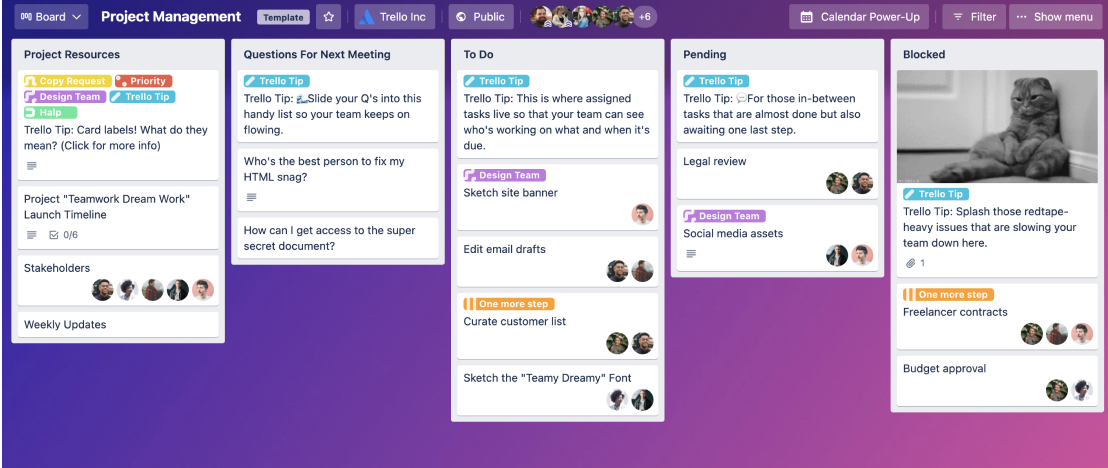
Trello is the first option we would shortlist for a freelancer who wants to see what is waiting, what is underway, and what needs client feedback.
A practical setup is one board per client, with lists such as Planned, In progress, Waiting for client, and Done. Give each deliverable a card and a due date. This is a suggested workflow, not a prebuilt system we tested.
Standard adds unlimited boards and custom fields. If you need Trello’s Timeline or Dashboard views, those sit in Premium, priced at $10/user/month annually or $12.50 monthly.
The main billing trap is client access. A single-board guest is different from a guest invited to several boards in the same paid Workspace. The latter is charged like a member. Power-Ups also sometimes have separate subscriptions.
Choose it for: visible task progress and a modest setup. Consider another tool if: recording billable hours is central to every job.
Check Trello’s plans and guest billing rules.
2. ClickUp: our pick for tasks and time tracking together
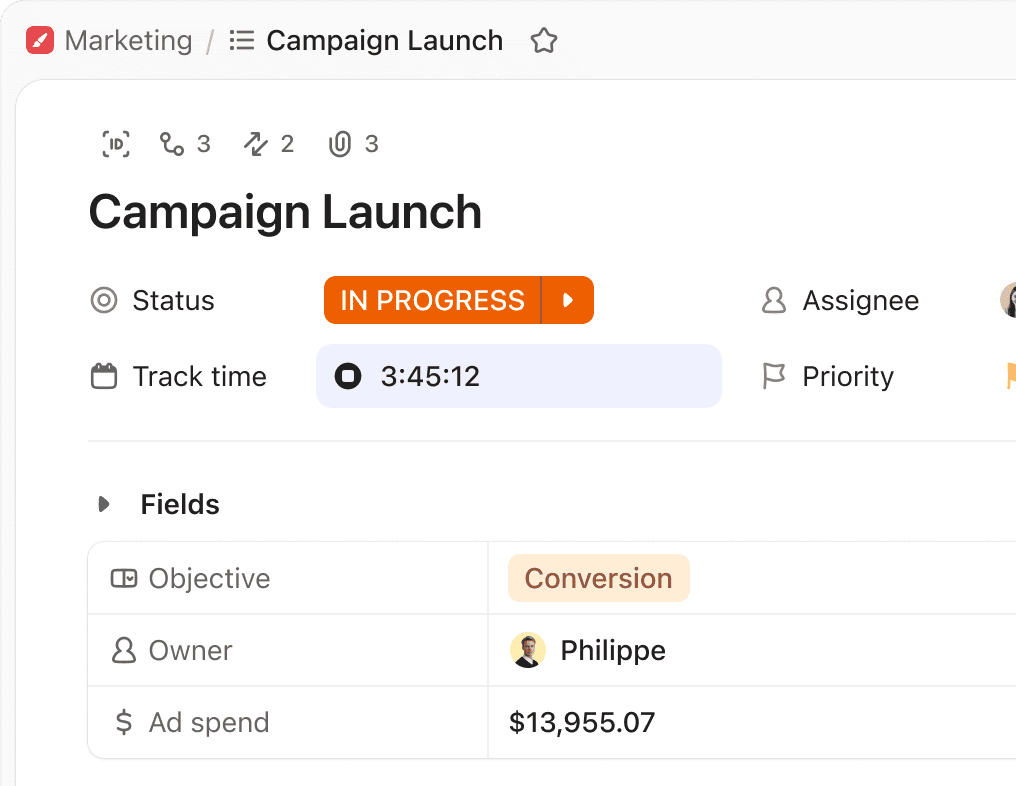
ClickUp’s Unlimited plan combines native time tracking, custom fields, Gantt charts, and guest permission controls. That makes it a useful candidate for a consultant or designer who needs tasks and recorded effort in one place.
The Free Forever plan is useful for building an initial task list, but do not assume every visible feature is permanently free. The pricing matrix labels time tracking as a trial on Free. More advanced time reports also have separate plan limits.
For a pilot, use one client folder, a short task list, and a few statuses. Add fields only when they help you make a decision. A flexible workspace takes time to maintain if every project gets a different structure.
An upgrade applies to all members of the Workspace. Check guest allowances before inviting clients, rather than treating everyone as a member.
Choose it for: connecting task delivery with tracked effort. Skip the extra setup if: you only need a small weekly checklist.
Check ClickUp’s feature and pricing matrix.
3. Asana: our pick for structured collaboration
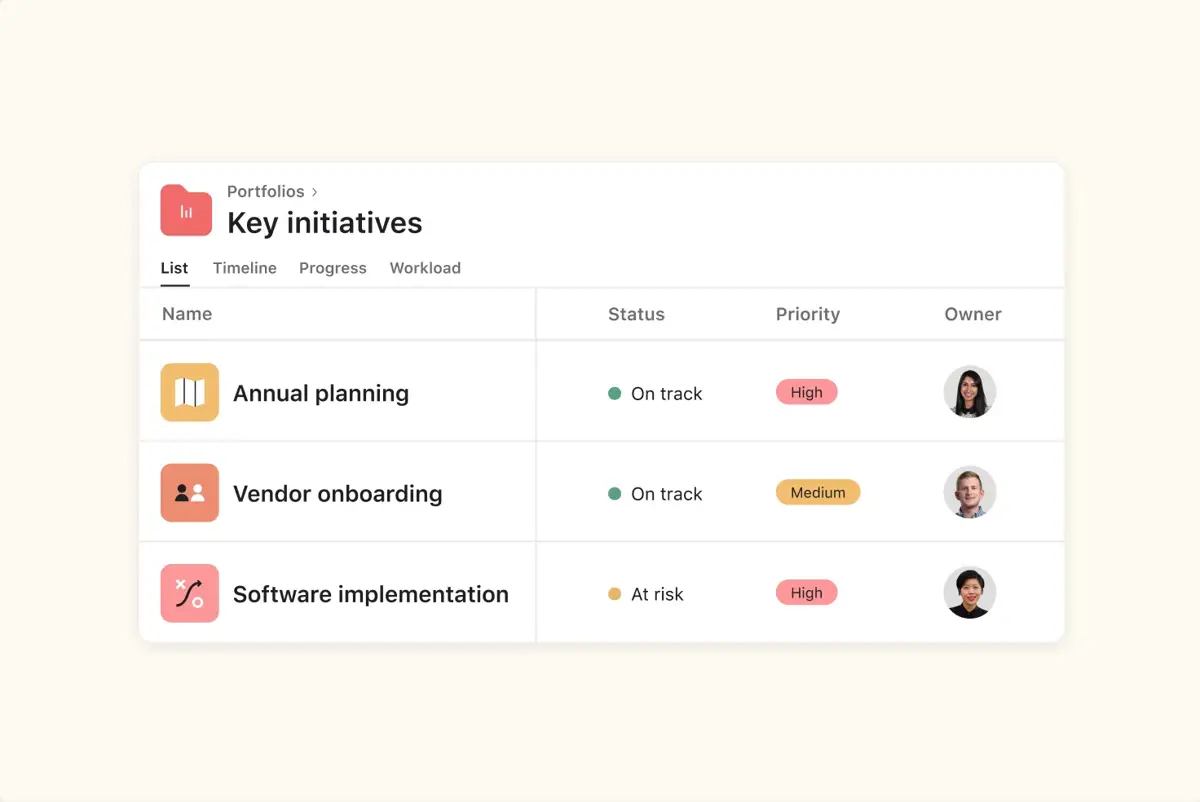
Asana Personal includes list, board, and calendar views for two users. Starter adds Timeline and Gantt views, forms, and custom fields. These are relevant when project intake and handoffs need more structure.
For a solo freelancer, the subscription minimum matters. Asana’s official billing guide states that paid subscriptions start at two seats. Starter therefore costs at least $263.76 per year on annual billing, calculated as $10.99 × 2 × 12. Month-to-month billing starts at $26.98 for the two seats.
Guest billing depends on the type of space. External guests in an organization do not consume paid seats, but Asana’s guide says collaborators in a standalone workspace count toward its paid plan. Confirm your setup before sharing client projects.
Native time tracking is listed in Advanced. Personal lists time tracking through integrations. Do not buy Starter assuming it includes the Advanced timer.
Choose it for: organized handoffs with collaborators. Compare carefully if: you work alone and only need paid features for yourself.
4. Notion: our pick for work built around briefs and notes
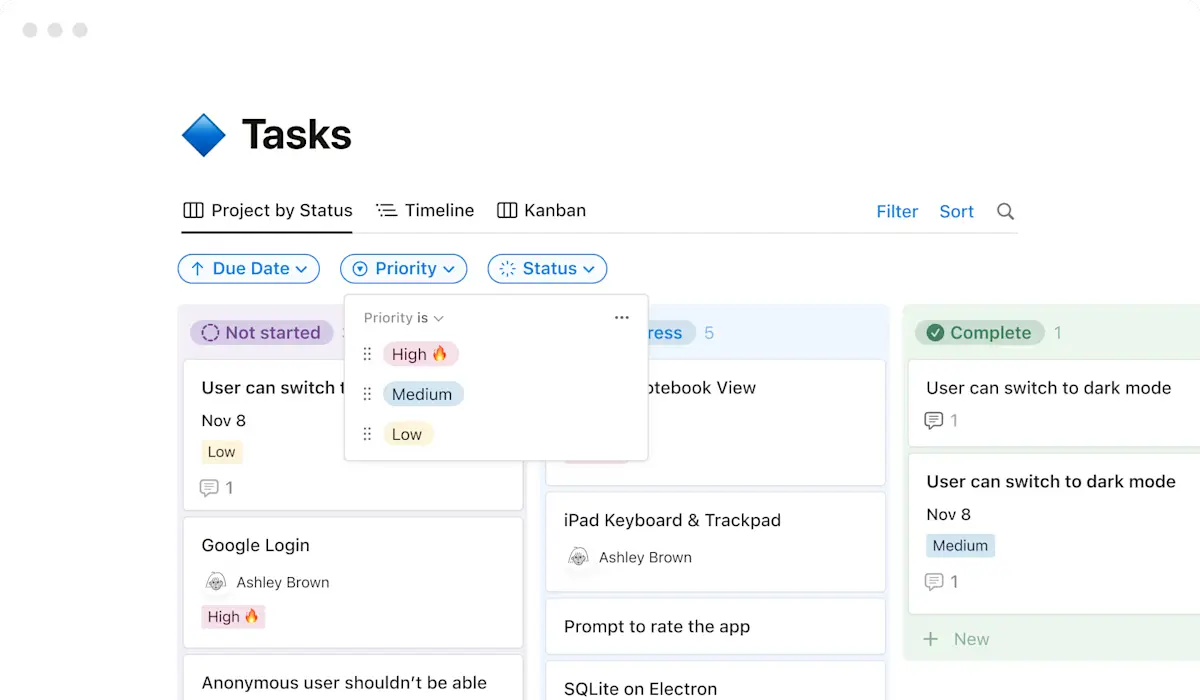
Notion is worth considering when the task list makes little sense without the supporting brief, research, and meeting notes. Its project databases support properties, subtasks, and dependencies.
For example, a freelance writer could keep the brief, source links, draft link, and delivery status in one project page. The value comes from reducing the search for context, rather than from creating an elaborate dashboard.
Free supports unlimited pages for an individual, with a 5 MB limit per uploaded file and 10 external guests. Plus is $120 per year for one member on annual billing, or $12 month-to-month. Free and Plus provide a limited AI trial, not the full AI offering.
Pay attention to sharing. Build a separate client-facing page, check its permissions, and keep internal notes outside it. A filtered view should never be your only privacy check.
Choose it for: keeping project knowledge beside the work. Consider a more task-focused option if: maintaining a custom database feels like another job.
5. Paymo: our pick for a small time-to-invoice workflow
Paymo is a focused candidate when you charge for hours and want project work connected to invoicing. Its Free plan includes time tracking and invoices, but only for one user, one client, and two projects.
Solo adds guest access and calendar and Kanban views. Its regular monthly price is $9.90, with limits of three clients and five projects. The pricing page currently advertises a lower first-three-month offer. Budget using the regular price.
If you manage more clients, compare Plus rather than assuming Solo will cover your business. Plus removes those client and project limits and adds features including timesheet reports and recurring tasks. Its regular monthly rate is $15.90 per user. Gantt charts and dependencies are listed in Pro.
Choose it for: a small client list where hours feed the billing process. Move to a different plan or tool if: the client and project caps are already too low.
Check Paymo’s regular prices, promotion, and limits.
6. Bonsai: our pick for projects within a broader client workflow
Bonsai makes sense when the project sits between a proposal at the beginning and an invoice at the end.
Basic includes tasks, time tracking, unlimited projects, and CRM features. Essentials adds the client portal, proposals, contracts, and invoicing. For that broader workflow, compare the Essentials price of $19/user/month annually or $25 monthly, rather than the cheaper Basic headline.
There is another useful boundary: Gantt view and client tasks and messaging are listed in Premium. A client portal on Essentials does not mean every client collaboration feature is included.
A freelance service business should assess whether these functions replace tools it already pays for. If the only problem is remembering deadlines, a broader subscription is harder to justify.
Choose it for: connecting project delivery with client administration. Keep your shortlist simpler if: contracts and billing already work well elsewhere.
Check Bonsai’s plan breakdown. If billing is your main priority, use our separate invoicing software comparison for freelancers.
Calculate the cost of your actual setup
Before paying, write down the required plan, billable seats, billing cycle, and any paid integrations. Then compare the total, not the largest price printed on the landing page.
For example, one Trello Standard member plus a client who becomes a billable multi-board guest means two paid seats. At the annual rate, that is $120 per year instead of $60. Two Asana Starter seats cost $263.76 per year even if only one person needs the paid features.
These are subscription calculations, not estimates of what every freelancer will pay. Taxes, additional members, and optional services change the total.
Ask four questions:
- Does the lowest paid tier include the feature I am buying it for?
- Will clients be guests, members, or another paid role?
- Is the displayed amount a regular price, an introductory offer, or an annual equivalent?
- What will I still pay for separately, such as billing, storage, or a time tracker?
Do not commit to an annual plan until you have completed a small project in the tool. A lower monthly equivalent has little value if you stop using the software.
Test one client project before moving everything
Use one typical job for a short trial. The following is a test you can run yourself, not a claim that we performed it in all six tools.
- Define the deliverable. Write what the client will receive and who approves it. Our Excel work breakdown structure guide helps when a project needs splitting into smaller tasks.
- Add five real tasks. Include dates, the next action, and one task waiting on the client. Avoid importing years of old work.
- Test client access. Use a permitted test account or an agreed client invitation. Confirm the client sees the correct project and no unrelated work.
- Run the difficult step. Record time if you bill hourly. Request feedback if revisions are the bottleneck. Try the function that made you consider switching.
- Check the exit. Export a sample and inspect which task details, dates, comments, and files remain usable. Do this before relying on the system.
- Review after delivery. Did you find the next action quickly? Did feedback stay attached to the right work? Was the paid feature necessary?
Start with the same intake information each time. The client onboarding checklist helps you collect files, contacts, and approvals before work begins.
When a spreadsheet is still enough
Keep a spreadsheet if you mainly need an internal schedule, have few changing dependencies, and do not need clients working inside the tracker. Moving dates into another app will not fix an unclear brief or an approval process nobody follows.
The Excel project timeline template is a useful starting point for dates and milestones. Keep contact details and follow-up in the Google Sheets client tracker if those records are your main concern.
Move to dedicated software when repeated handoffs, reminders, shared updates, or time entry become the larger job. Bring over one active project first, then expand after the process works.
Need a clearer admin workflow around your projects?
Simple Office AI helps clean up spreadsheets and organize client records. See the available services and choose help for the part of your process that needs fixing.
Common questions
What is the best free project management software for freelancers?
For a visual task board, start by assessing Trello. If notes and briefs are more important, assess Notion. If you want a broader task workspace, assess ClickUp. Check each free plan’s limits against a real project before moving your work.
Is a client portal the same as guest access?
No. A guest invitation grants access within a tool’s collaboration model. A client portal is a dedicated client-facing area. Check the exact activities a client needs, such as reading a brief, commenting on work, approving a file, or paying an invoice. Do not assume the label covers them all.
Should a freelancer pay for AI project management features?
Only after identifying a repeated task the feature handles usefully. Drafting a status update is different from reliably changing deadlines or sharing client information. Test the output and permissions before adding it to your normal process.
Which tool should I try first?
Pick the one that fits the problem you face most often. Start with Trello for visible task progress, ClickUp for tasks with tracked effort, Notion for project context, Paymo for time and invoices, Asana for collaboration, or Bonsai for broader client administration. Trial one real project before buying a longer subscription.