
Quick answer: the best workflow app depends on what your small business is trying to control. monday.com is a strong fit for flexible team workflows, Process Street for repeatable procedures, Jotform Workflows for form-based approvals, Pipefy for structured requests and process stages, ClickUp for task-heavy workflows, and Airtable for data-driven operations.
You do not need the tool with the longest feature list. You need a system that makes the next step clear, gives each step an owner, and keeps routine work visible without creating more admin.
How this comparison was prepared
This is a research-based comparison, not a hands-on performance test. Features, plan limits, and public pricing were checked against official vendor pages on October 2, 2026. Prices can change, so confirm the final cost before subscribing. The vendor links in this draft are direct links, not affiliate links.
Best workflow apps for small businesses: quick comparison
| Workflow app | Best fit | Free option | Public paid entry | Main limitation to check |
|---|---|---|---|---|
| monday.com | Flexible team workflows and shared visibility | Free for up to 2 seats | Standard: $12/seat/month billed annually | Paid plans start from 3 seats; Standard has workflow and automation limits |
| Process Street | Repeatable procedures, checklists, and recurring operational processes | 14-day Pro trial | Contact sales | No public self-serve price for Startup, Pro, or Enterprise |
| Jotform Workflows | Forms, requests, and approval routing | Starter is free; up to 3 workflow approvers | Bronze is the lowest paid plan; current checkout price can vary with Jotform promotions | Plan limits are tied to Jotform forms, submissions, storage, and other account limits |
| Pipefy | Structured requests, approvals, and stage-based business processes | Starter: up to 5 processes and 10 users | Business: contact sales | Free plan has card and automation-job limits |
| ClickUp | Task-heavy workflows that also need projects, docs, time, and dashboards | Free Forever | Unlimited: $7/user/month billed annually | More advanced automation connections require higher plans |
| Airtable | Data-driven workflows, custom records, and lightweight internal apps | Free plan available | Team: $20/collaborator/month billed annually | Editor-level collaborators can increase cost as the team grows |
Do not compare these tools only by price. A $7 task app can be a poor fit for an approval process. A more structured workflow platform can also be unnecessary if your real problem is simply keeping five tasks visible.
What counts as a workflow app in this guide?
Here, a workflow app is the place where people can see a process and move work through it. A request comes in, somebody reviews it, an owner takes action, the status changes, and the next person knows what to do.
That is different from a cross-app automation tool. Zapier, Make, Power Automate, and n8n are mainly useful for connecting systems and moving data or actions between them. We already compare those tools in our business process automation software guide.
It is also broader than project management. If your main need is deadlines, client projects, and task boards, see our project management software comparison for freelancers. This guide focuses on repeatable business processes such as intake, approvals, recurring checklists, handoffs, service requests, onboarding, and operational tracking.
1. monday.com: flexible workflows for small teams
monday.com is a practical choice when the business wants one visual system that can handle several types of work without forcing every process into the same template.
A small team can build boards for client onboarding, service requests, content review, hiring steps, purchasing, or recurring admin work. The Standard plan is the important tier for this comparison because it currently includes three workflows, 250 automation actions per month, 250 integration actions per month, timeline and Gantt views, calendar view, and guest access.
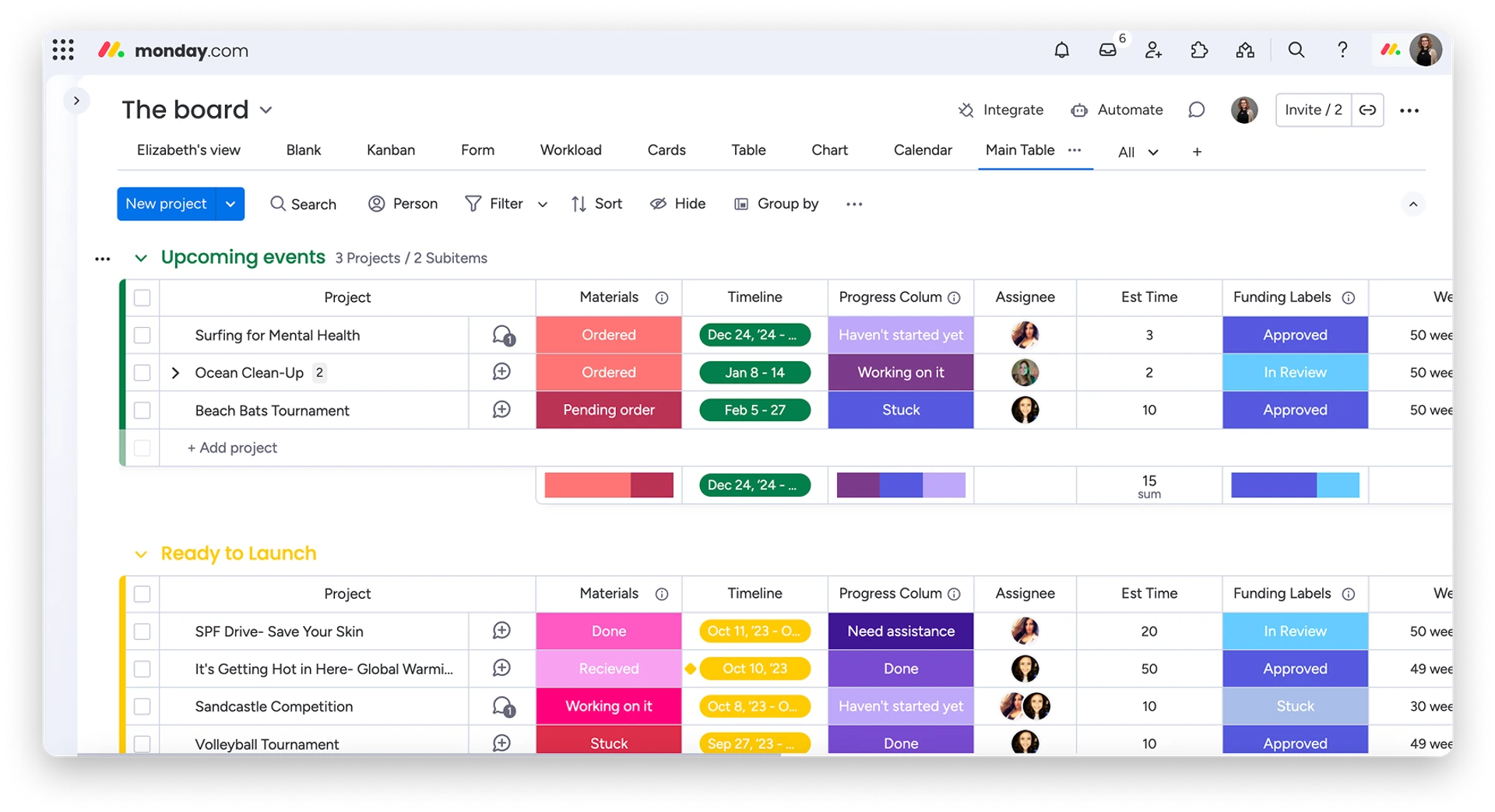
Current pricing: the Free plan supports up to two seats. Basic is $9 per seat per month billed annually, Standard is $12, and Pro is $19. monday.com states that paid plans start from three users.
Good fit if: your process changes often and the team wants boards, statuses, owners, dates, dashboards, and light automation in one place.
Watch out for: the Free plan is too small for most teams, and automation or integration limits can become relevant before the rest of the platform feels constrained.
2. Process Street: recurring procedures and checklist-driven work
Process Street is more process-focused than a normal task board. It fits work that should run the same way each time, especially when the business needs a documented procedure rather than a loose list of tasks.
Typical uses include employee onboarding, client onboarding, quality checks, recurring operations, approvals, compliance-oriented procedures, and any process where missing a step creates a real problem. Process Street lists unlimited workflows and tasks across its current plans, while higher tiers add more advanced process controls.
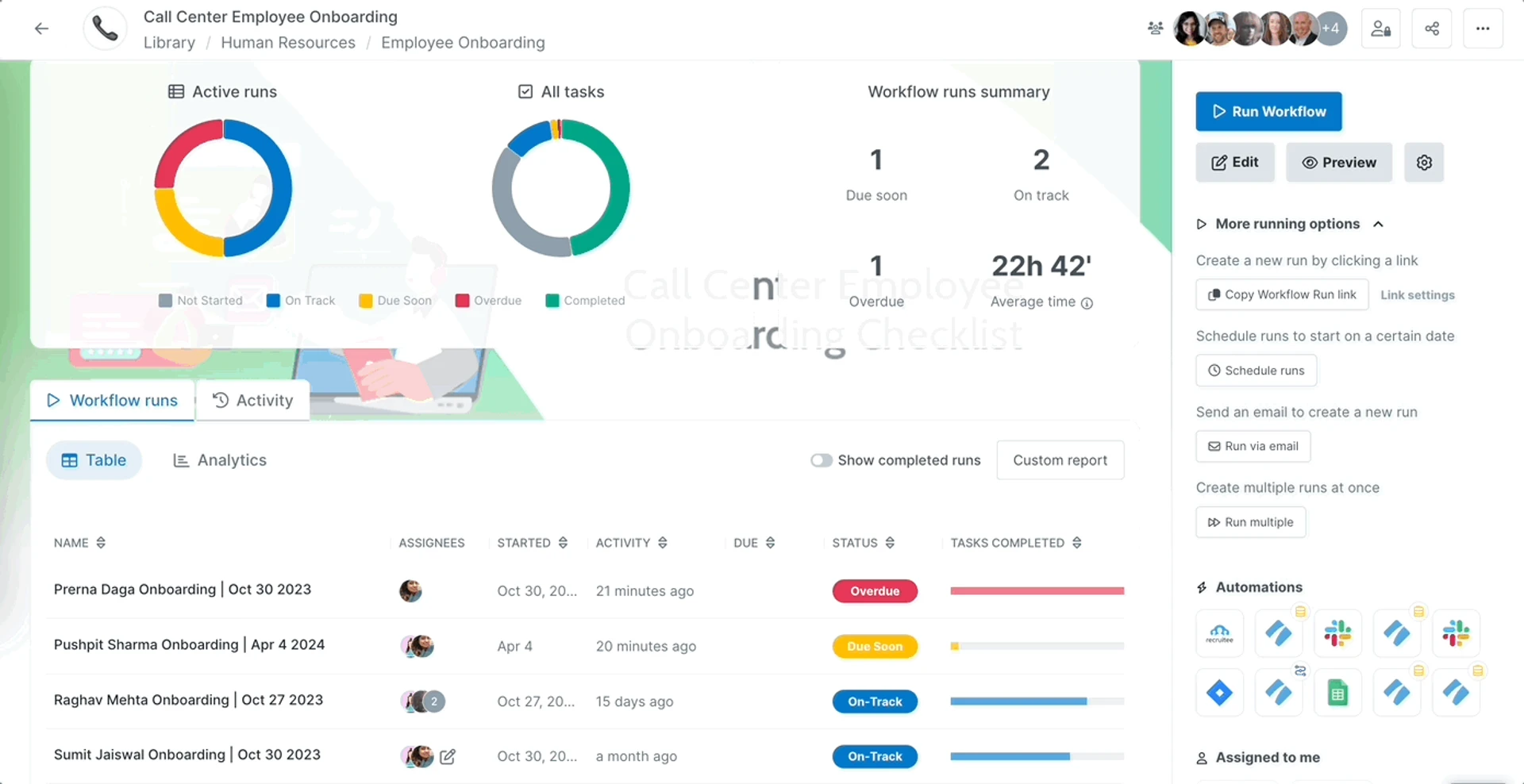
Current pricing: Startup, Pro, and Enterprise are currently contact-sales plans. New accounts can start with a 14-day trial of Pro. The Startup plan is positioned for qualifying small businesses and includes five users and ten guests.
Good fit if: the value comes from doing a defined procedure consistently, not from managing a large project portfolio.
Watch out for: there is no public self-serve price to compare directly with lower-cost task apps. That makes it harder to estimate total cost without talking to sales.
3. Jotform Workflows: form-based approvals and requests
Jotform Workflows makes the most sense when the process begins with a form or request. A submission can trigger review, approval, task assignment, notification, document steps, or another branch in the workflow.
This can work well for purchase requests, expense reimbursements, leave requests, client intake, content approvals, budget approvals, and internal forms. Jotform says the free plan supports up to three approvers in a workflow, paid Bronze, Silver, and Gold plans support up to ten, and Enterprise has no approver limit.
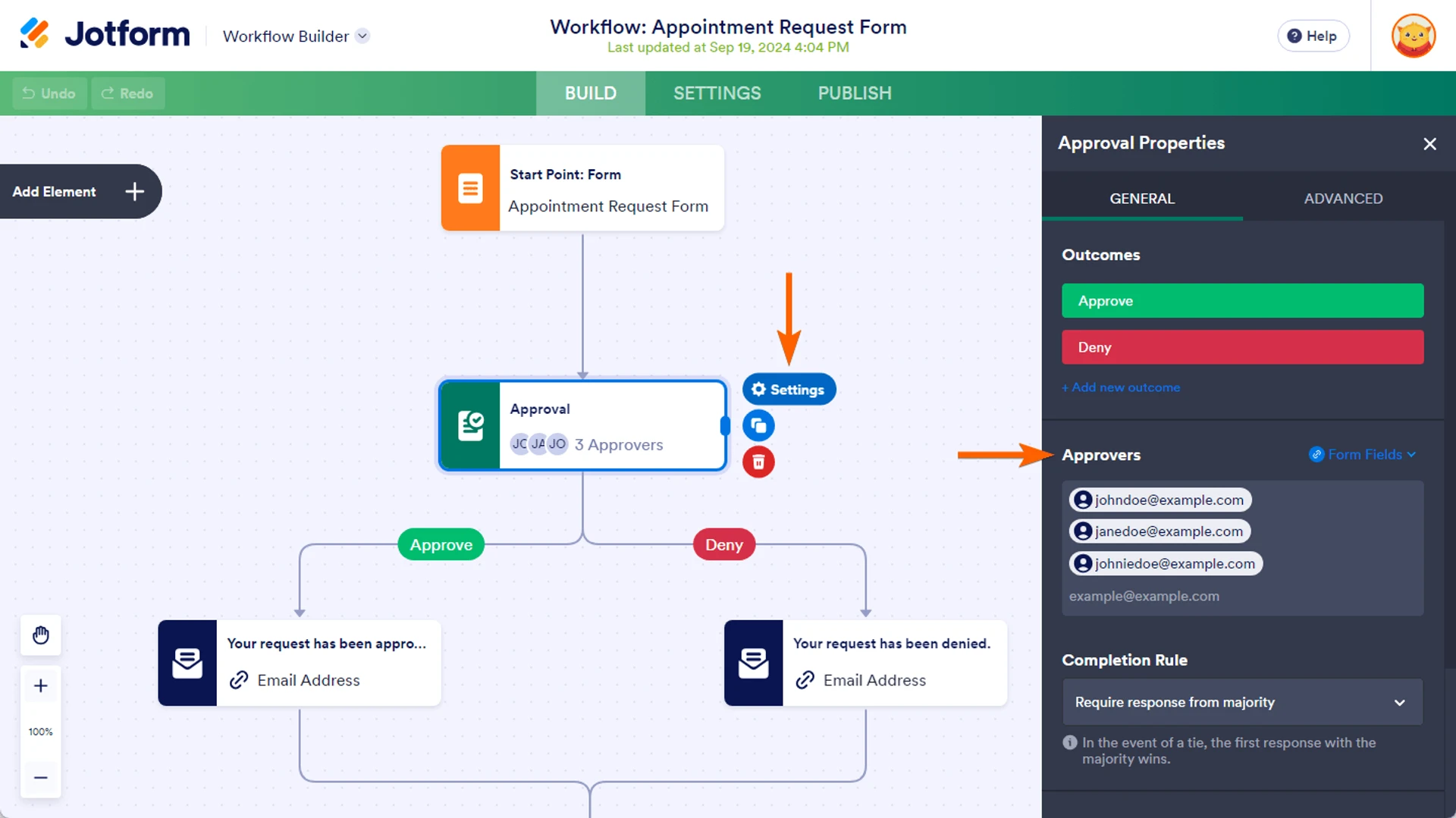
Current pricing: Starter is free, and Bronze is the lowest-priced paid plan. Jotform says it runs discounts at different times of the year and that discounted yearly upgrades renew at the full price in the next payment period. Check the current checkout price before subscribing.
Good fit if: the workflow starts with information collection and then needs clear review or approval steps.
Watch out for: account limits are not only about workflows. Forms, monthly submissions, storage, signed documents, and other Jotform limits can affect the plan you need.
4. Pipefy: structured request and approval processes
Pipefy is designed around processes with stages. A request enters a pipe, moves through defined phases, and carries fields, owners, rules, and history with it.
That structure is useful for purchasing, HR requests, finance requests, service operations, intake, onboarding, and other processes where work moves through a predictable sequence. It is more process-oriented than a basic task manager.

Current pricing: Starter is free and currently supports up to five processes, ten users, 50 cards per month, 15 automation jobs per month, and 2 GB of storage. Business and Enterprise use contact-sales pricing. Pipefy also advertises a separate small-business offer for eligible companies with 11 to 200 employees, subject to its conditions.
Good fit if: your team receives repeated requests and needs clear stages, owners, forms, approvals, and process history.
Watch out for: the Starter limits are useful for a small pilot but can become restrictive if each request creates a card or if automation runs frequently.
5. ClickUp: task-heavy workflows with more work-management tools
ClickUp fits a small business that wants workflows to live inside a broader work-management system. Tasks, docs, forms, boards, calendars, dashboards, time tracking, goals, and automations can stay in the same workspace.
That makes ClickUp useful for agencies, service teams, marketing work, operations, and other businesses where the workflow is closely tied to tasks and projects. Its Free Forever plan includes up to five active automations and 100 automation actions per month. Unlimited increases that to 500 active automations and 1,000 actions per month. Business adds automation integrations and webhooks with 5,000 actions per month.
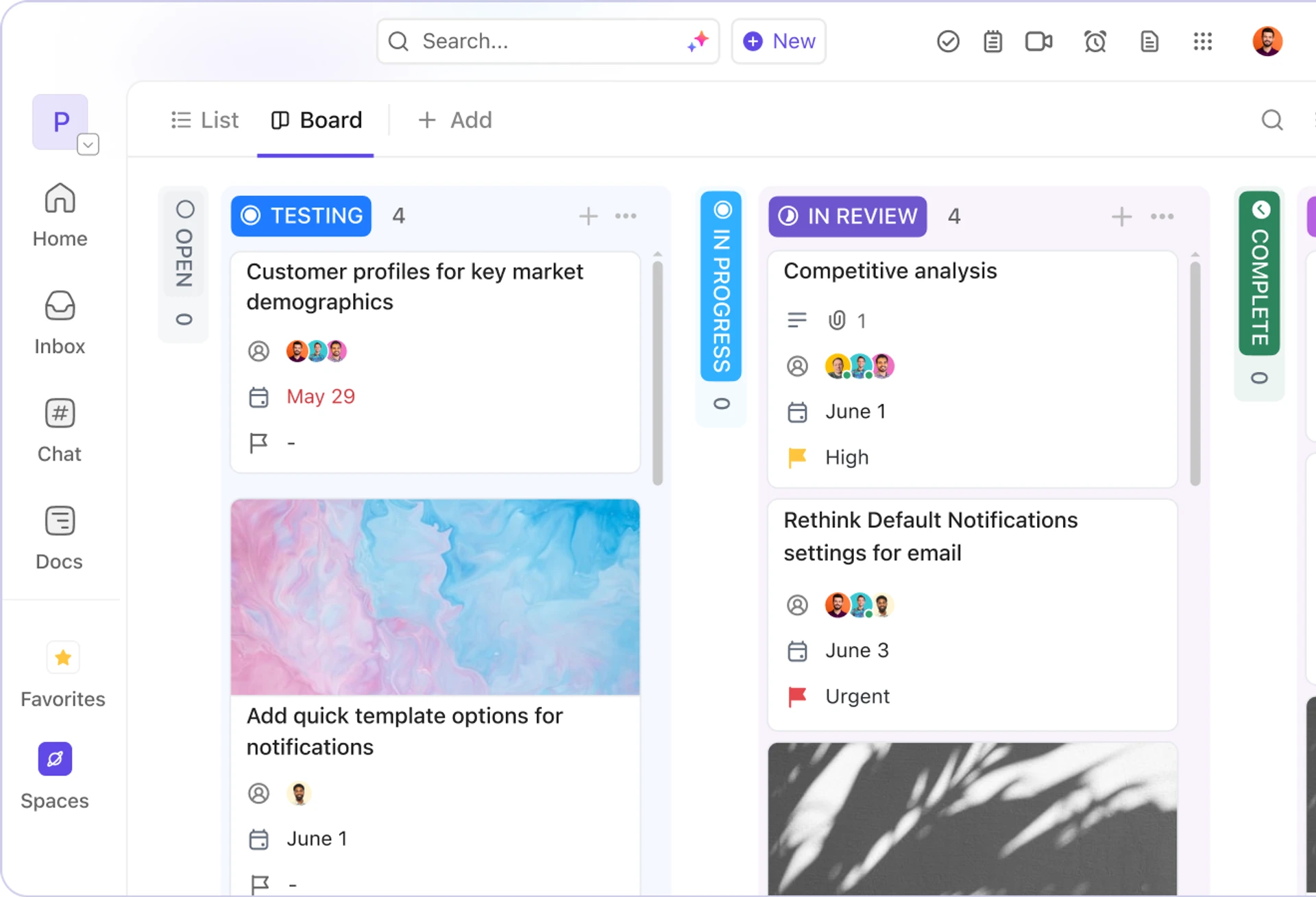
Current pricing: the public pricing page currently shows Free Forever, Unlimited at $7 per user per month billed annually, and Business at $12 per user per month billed annually. ClickUp also notes that some workspaces may see newer plan structures, so confirm the plan shown to your account.
Good fit if: most workflow steps are tasks and the team would benefit from keeping task management, documentation, time, and reporting together.
Watch out for: ClickUp gives you many ways to configure the same work. That flexibility can create a messy workspace if the business does not first decide on statuses, owners, required fields, and naming rules.
6. Airtable: data-driven workflows and custom operational systems
Airtable is different from a normal checklist or task app. It works well when the workflow depends on structured records: clients, requests, inventory items, content, suppliers, jobs, assets, or another business dataset.
You can connect records, build views and interfaces, collect data, and trigger automations around changes in the base. Airtable currently allows 100 automation runs per month on Free, 25,000 on Team, and 100,000 on Business.
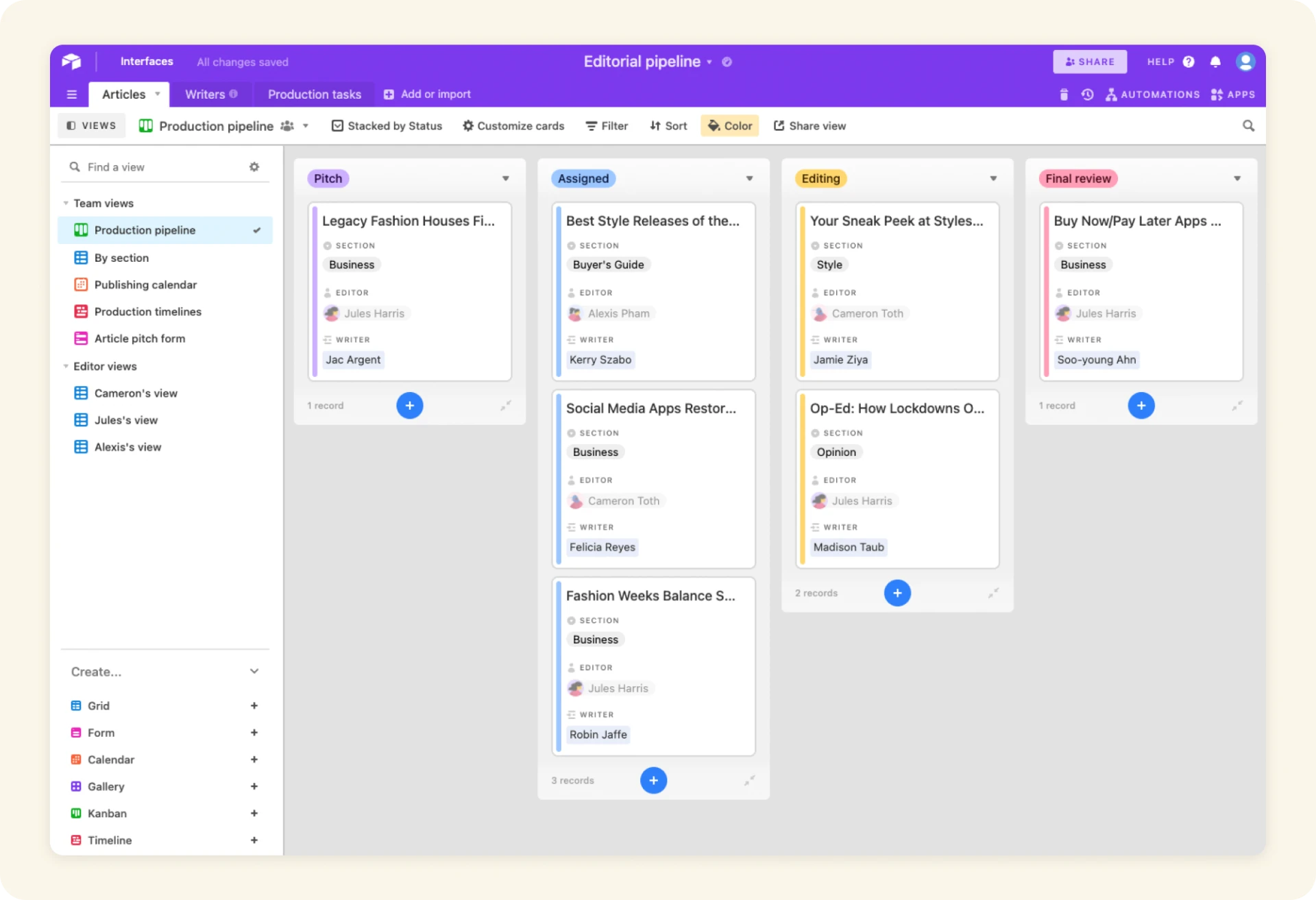
Current pricing: Free is available. Team is $20 per billable collaborator per month when billed annually, or $24 monthly. Business is $45 per billable collaborator per month annually, or $54 monthly. Airtable says Free workspaces include up to five Owner, Creator, or Editor collaborators.
Good fit if: the process depends on structured data and you want the workflow, records, forms, views, and light automation to stay together.
Watch out for: cost can rise as more people need edit-level access. Airtable also requires more deliberate setup than a simple task board when you start linking tables and building interfaces.
Which workflow app should a small business choose?
Start with the shape of the workflow, not the brand name.
| If your workflow looks like this… | Start by evaluating… |
|---|---|
| Several team processes need flexible boards, owners, dates, and light automation | monday.com |
| The same documented procedure must be followed every time | Process Street |
| A form submission needs review, approval, or routing | Jotform Workflows |
| Requests move through fixed stages with fields, owners, and approvals | Pipefy |
| The process is mostly tasks and projects, with docs and time tracking around it | ClickUp |
| The process is built around structured business records and custom views | Airtable |
Before paying, map one real process. Write the trigger, the person who owns each step, the required information, the approval point, the exception path, and what “done” means. Our document workflow automation guide shows this approach in more detail.
When a spreadsheet is still enough
A workflow app is not automatically better than a spreadsheet.
A spreadsheet can still be enough when one or two people own the process, the number of active items is small, permissions are simple, and the workflow does not depend on automatic routing or detailed history. For a visual task flow, a Kanban board in Excel may solve the problem without another subscription.
Move to workflow software when the spreadsheet stops answering basic questions reliably: Who owns this? What is waiting for approval? Which request is overdue? What changed? What happens next? If those questions require messages, memory, or several separate files, the software can start earning its cost.
When you need automation software instead
Choose a workflow app when the team needs a shared place to run the process. Choose an automation platform when the main problem is moving information or actions between separate apps.
For example, a workflow app might manage a client onboarding process from request to completion. Zapier or Make might then connect that workflow to email, accounting, a CRM, or cloud storage. The two categories can work together, but buying both before the process is clear usually adds complexity.
See our workflow automation examples for small business if you are still deciding what should be automated.
Need help before you buy another app?
Simple Office AI can help map a messy admin process, clean up the spreadsheet or file system behind it, and build a simpler workflow before you add more software.
Frequently asked questions
What is the best workflow app for a small business?
There is no single best option for every small business. monday.com fits flexible team workflows, Process Street fits repeatable procedures, Jotform Workflows fits form-based approvals, Pipefy fits structured process stages, ClickUp fits task-heavy work, and Airtable fits data-driven workflows. Start with one real process and choose the tool that matches its shape.
Is there a free workflow app for a small team?
Yes. monday.com, Jotform, Pipefy, ClickUp, and Airtable all currently have free options, but the limits are different. Check user limits, workflow or process limits, submissions, cards, automation runs, and storage before deciding that a free plan will cover the real workload.
What is the difference between workflow software and automation software?
Workflow software gives people a shared place to see, own, and move work through a process. Automation software connects systems or performs routine actions when a trigger occurs. A small business may use one category or both, but they solve different problems.
Can workflow apps handle approvals?
Many can. Jotform Workflows, Pipefy, Process Street, monday.com, ClickUp, and Airtable can all support approval-style processes in different ways, but the exact approval controls and plan limits vary. Check the specific approval feature you need before subscribing.
How much should a small business spend on workflow software?
Start with the cost of the problem, not an arbitrary software budget. If a workflow app removes repeated follow-up, missed handoffs, duplicate entry, or unclear ownership, compare that value with the full team cost of the plan. Also include setup and maintenance time, not only the subscription price.
When should I keep using a spreadsheet instead?
Keep the spreadsheet when the process is small, ownership is clear, permissions are simple, and manual updates remain reliable. Move to workflow software when routing, approvals, reminders, history, or multi-user coordination become difficult to manage consistently.
Pricing and feature sources
Product facts in this comparison were checked against official pages from monday.com, Process Street, Jotform Workflows, Jotform pricing, Pipefy, ClickUp, and Airtable. Pricing and plan limits can change after publication.