

Customer information becomes hard to manage when names live in one spreadsheet, follow-ups sit in email, sales notes are in another file, and nobody is sure which record is current.
For a small business, customer data management software should solve that problem without creating a bigger admin job. In most cases, this means a simple CRM or flexible customer database. It does not mean buying an enterprise customer data platform just because the term “customer data” appears in the product name.
Quick answer: HubSpot CRM is a practical place to start when you want contact records, activity history, deals, and a broader business platform. Bigin is simpler for a very small team moving out of spreadsheets. Freshsales adds more sales communication tools. Airtable is useful when your customer records need a flexible custom structure. Pipedrive makes the most sense when the sales pipeline is the center of the workflow.
Simple Office AI decision rule
Do not move to customer software until it fixes a real record-management problem.
Good reasons include duplicate records, missed follow-ups, weak ownership, scattered activity history, inconsistent fields, or several people updating the same customer information.
Customer data management software: quick comparison
The five tools below solve different versions of the same problem. Prices were checked on October 2, 2026 and can change. Promotional prices are called out where relevant.
| Software | Good fit for | Free option | Starting paid price checked | Main trade-off |
|---|---|---|---|---|
| HubSpot CRM | Small businesses that want one customer record across sales, service, and marketing | Free for up to 2 users | Starter currently shows promotional pricing from $7/seat/month on annual billing | The platform can become more complex as you add paid hubs and advanced features |
| Bigin by Zoho CRM | Solo workers and very small teams moving from spreadsheets | Free for 1 user | Express $7/user/month billed yearly or $9 monthly | Designed to stay lighter than a full CRM, so advanced requirements may push you toward Zoho CRM |
| Freshsales | Small sales teams that want customer records plus email, phone, chat, and workflows | Free for up to 3 users | Growth $9/user/month billed annually | More sales-focused than a general business database |
| Airtable | Teams that need a flexible customer database with custom linked records | Free plan | Team $20/user/month billed annually | You build more of the CRM structure yourself |
| Pipedrive | Service businesses where leads, deals, and next sales actions are the main concern | No permanent free plan; 14-day trial | Lite $14/seat/month billed annually | Its strongest structure is sales pipeline management rather than broad back-office data |
Pricing note: vendor pricing, promotions, plan names, and limits can change. Check the official pricing page before buying.
What does “customer data management software” mean for a small business?
The search term sounds broader than the software most small businesses actually need. There are three common categories.
CRM software
A CRM stores customer and prospect records, communication history, tasks, deals, and follow-up activity. For a small service business, this is usually the closest match to “customer data management software.”
Flexible database software
A tool such as Airtable can store contacts, companies, projects, subscriptions, orders, service visits, or other linked records. It is useful when your customer information does not fit neatly into a normal sales CRM.
Customer data platforms
A customer data platform, or CDP, is usually built for larger marketing and analytics teams that need to combine customer behavior from many systems and channels. A freelancer or five-person service business normally does not need to start there.
If all you need is a clean contact list with status, priority, last contact, and next follow-up, the Client Tracker Spreadsheet in Google Sheets is deliberately simpler. This article is about the point where dedicated software becomes useful.
1. HubSpot CRM: broad customer records with room to grow

HubSpot CRM combines contact management, company records, deals, tasks, activity history, CRM import, and reporting in one platform. That makes it useful when customer data needs to support more than a contact list.
The free plan currently supports up to two users. HubSpot’s pricing page also shows a Starter Customer Platform with current promotional annual pricing from $7 per seat per month, while monthly pricing is displayed separately. Because HubSpot runs frequent pricing promotions, treat the promotional number as temporary rather than a permanent baseline.
HubSpot makes sense when:
- you want customer records and communication history in one place;
- sales, service, and marketing may eventually share the same customer data;
- you want to import an existing CRM or spreadsheet;
- you prefer starting free and adding features later.
Watch for: complexity. HubSpot can start simple, but the product family is much larger than the basic CRM. Decide which paid tools you actually need before moving every process into the platform.
2. Bigin by Zoho CRM: simple step up from spreadsheets
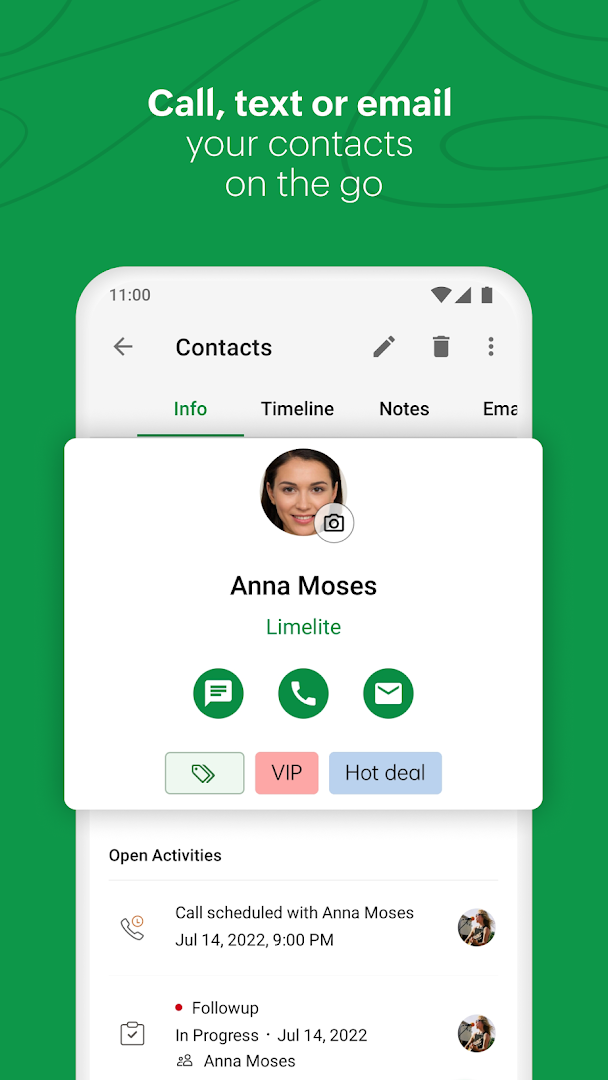
Bigin is positioned as a lighter CRM for small businesses. It organizes information into Contacts, Companies, Pipelines, and Activities. You can also import customer data from Excel, CSV, or VCF files and map the source fields during import.
The current Bigin/Zoho comparison lists a free plan for one user. Express is listed at $7 per user per month when billed yearly or $9 per user on monthly billing.
Bigin makes sense when:
- one person or a very small team has outgrown a customer spreadsheet;
- you want contacts, companies, follow-ups, and pipelines without a large CRM setup;
- you already use Zoho products or may move to Zoho CRM later;
- you want a structured import path from spreadsheets.
Watch for: future complexity. Bigin is designed to stay simpler. If you need custom modules, more advanced process controls, or deeper enterprise CRM functions, Zoho itself points users toward Zoho CRM as requirements grow.
3. Freshsales: customer records plus built-in sales communication
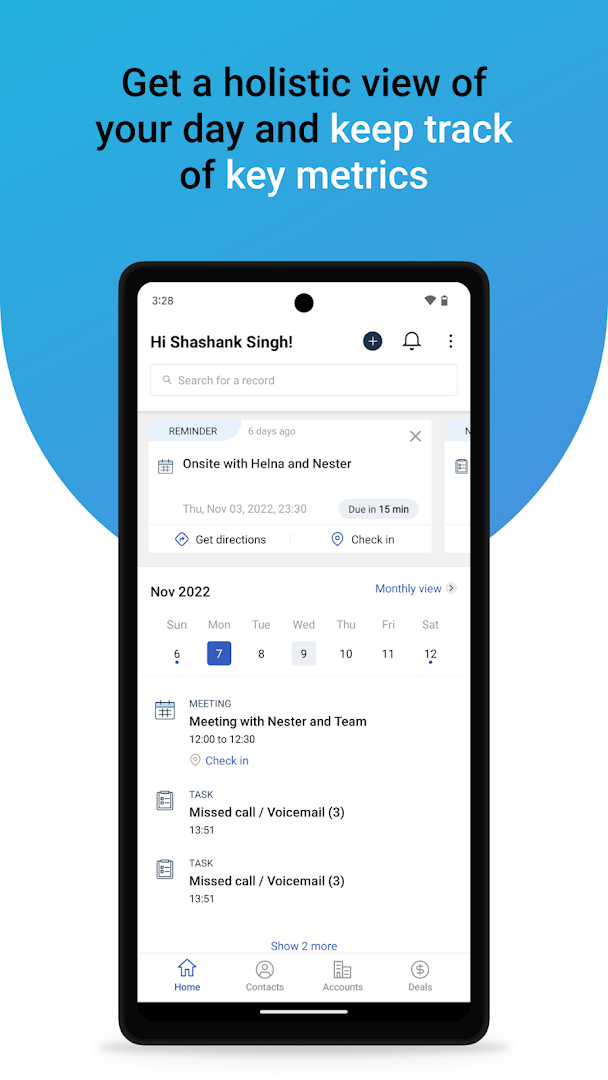
Freshsales combines contact and account management with lifecycle stages, activity history, tasks, a sales pipeline, dashboards, email, phone, chat, and workflow features.
Freshworks currently lists a free Freshsales plan for up to three users. The Growth plan is $9 per user per month when billed annually. Higher plans add features such as contact scoring, sales sequences, territory management, custom modules, and stronger controls.
Freshsales makes sense when:
- your team wants contact records and sales communication in the same system;
- email, phone, chat, tasks, and deal activity need to stay connected;
- you have a small sales team and want a free starting tier;
- you expect to add workflow automation later.
Watch for: fit outside sales. If your main requirement is a custom operational database rather than customer conversations and deals, a flexible database tool may be easier to shape around the process.
4. Airtable: flexible customer database for custom workflows

Airtable can be used as a CRM, but it is not limited to CRM structure. Airtable’s own CRM templates can track accounts, contacts, interactions, and opportunities, while the underlying platform lets you create related tables for other business records.
Airtable has a free plan. The Team plan is currently $20 per collaborator per month when billed annually. Airtable bills paid workspaces based on collaborators with edit-level access, so the number of people who need to edit data matters when estimating cost.
Airtable makes sense when:
- your customer records need to connect to projects, orders, assets, service visits, or other custom tables;
- you want forms, different views, and flexible fields;
- your workflow does not match a normal sales CRM;
- your team is comfortable building and maintaining the structure.
Watch for: setup ownership. A flexible system is useful only when someone defines the fields, relationships, views, permissions, and maintenance rules. If nobody owns that structure, a more opinionated CRM may be safer.
If you need a broader comparison of flexible record systems, see Database Software for Small Business.
5. Pipedrive: customer data centered on the sales pipeline
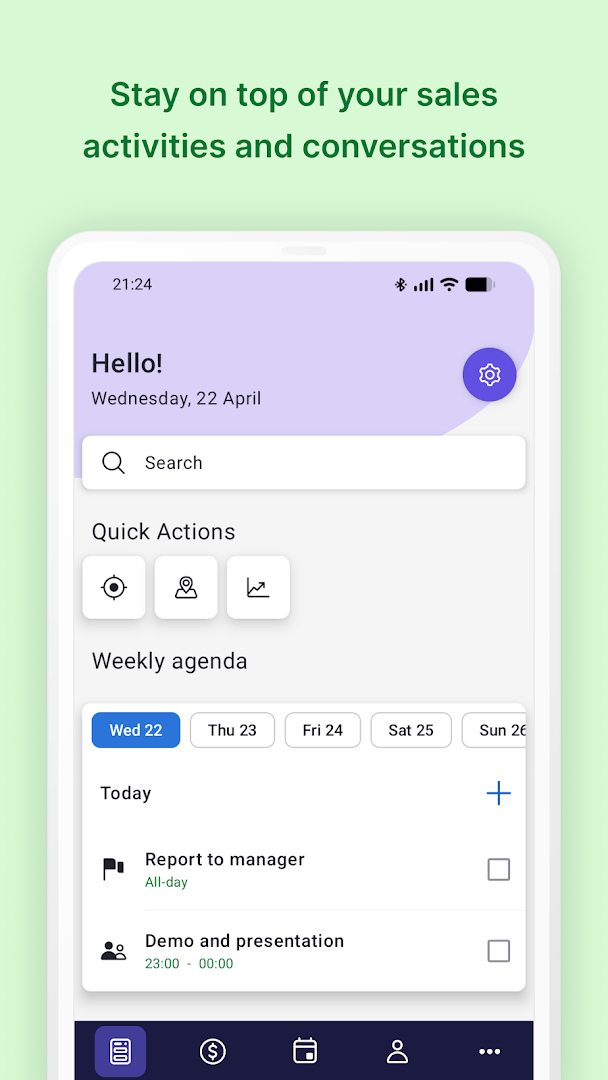
Pipedrive keeps leads, deals, contacts, calendar activity, and pipeline management close together. Its current Lite plan starts at $14 per seat per month when billed annually, and Pipedrive offers a 14-day trial.
Pipedrive makes sense when:
- your main customer-data problem is losing track of leads and deals;
- you want a strong visual sales pipeline;
- next actions, activities, and deal stages matter more than a custom database;
- you want spreadsheet or CRM import plus a large integration catalog.
Watch for: scope. Pipedrive is intentionally sales-focused. If your main problem is post-sale customer records, project delivery, service operations, or many linked record types, another tool may fit better.
If you are not ready for CRM software and only need a lightweight pipeline, the Sales Tracker in Google Sheets keeps deals, stages, values, and close dates in a simpler system.
If your main need is managing customer support requests rather than storing customer records, compare help desk software for small businesses before choosing a CRM.
\n\n
When is a spreadsheet still enough?
Customer software is not automatically better than Excel or Google Sheets.
Stay with a spreadsheet when:
- one person maintains the customer list;
- the fields are simple and consistent;
- you do not need automatic email or activity history;
- permissions are not complicated;
- follow-ups are manageable with a small number of records;
- you can find the right customer record quickly;
- you are not copying the same customer information across several files.
Move toward dedicated software when the spreadsheet begins to create work instead of reducing it. Common warning signs are duplicate customers, uncertain ownership, missed follow-ups, several versions of the same file, manual copying between systems, or a team that cannot see the same activity history.
How to choose customer data management software
1. Define the customer record first
Write down the fields you actually need. A service business might need customer name, company, email, phone, status, owner, last contact, next action, source, service type, and notes. Do not choose software because it has hundreds of fields you will never use.
2. Separate customer records from sales opportunities
A customer is not the same thing as a deal. One customer may have several quotes, projects, renewals, or purchases over time. Choose software that can represent that relationship clearly if it matters to your business.
3. Check import, export, and duplicate handling
You should know how to import the current file, how duplicate matches are handled, and how to export your records again. A system is harder to trust if the data can go in but cannot come back out in a usable format.
4. Count real users
Do not estimate price from one seat if five people will edit the customer database. Check which permission levels are billable and whether read-only users cost extra.
5. Decide which activity should be automatic
Email logging, form capture, follow-up reminders, task creation, and pipeline updates can reduce manual entry. But automation is useful only after the fields and statuses are consistent.
6. Check permissions and sensitive fields
Not every employee needs access to every customer field. If the database will contain financial details, contracts, private notes, or other sensitive information, review role permissions before importing the full dataset.
7. Test the workflow with real records
Do not judge a tool from the signup screen. Import a small sample, complete several normal tasks, export the data again, and let the people who will use the system test it.
How to move customer data without creating a mess
- Choose one source of truth. Decide which spreadsheet or system contains the records you will migrate.
- Remove obvious duplicates. Do not import several versions of the same customer if you can resolve them first.
- Standardize fields. Use consistent company names, status labels, phone formats, dates, and required fields.
- Archive fields you do not need. A CRM should not become a storage dump for every old column.
- Import a small sample. Test 20 to 50 records before moving the full list.
- Check ownership and permissions. Confirm who can view and edit customer records.
- Test the normal workflow. Add a new customer, update a record, schedule a follow-up, find the activity history, and export the record.
- Move the remaining data only after the sample works.
If your source file is inconsistent, use the Excel data-cleaning workflow before migration. For duplicate rows specifically, see How to Remove Duplicates in Excel Without Losing Important Data.
Need help setting it up?
Clean the customer data before you automate it.
Simple Office AI can help clean a spreadsheet, organize the fields, build a practical admin system, or prepare customer data for migration into new software.
Frequently asked questions
What is customer data management software?
It is software used to store, organize, update, and use customer information in a consistent system. For a small business, this is often a CRM or flexible database that combines contact details, activity history, ownership, tasks, and related records.
Is customer data management software the same as a CRM?
Not always, but a CRM is usually the closest fit for small businesses. A CRM focuses on customer relationships, contacts, communication, deals, and follow-up, while broader data platforms may handle many other kinds of business or behavioral data.
Do small businesses need a customer data platform?
Usually not at the beginning. A CDP is more useful when a business needs to combine large amounts of customer behavior from several marketing, website, app, and analytics systems. A small service business normally gets more value from a clean CRM or customer database first.
Can I manage customer data in Excel or Google Sheets?
Yes. A spreadsheet can work well for one person or a small, simple customer list. Move to dedicated software when duplicates, shared editing, permissions, activity history, follow-ups, or integrations become difficult to manage reliably.
Which customer data tools have a free plan?
As of October 2, 2026, HubSpot CRM, Bigin, Freshsales, and Airtable all offer free options with different user and feature limits. Pipedrive offers a free trial rather than a permanent free plan. Check the vendor before choosing because plan limits can change.
How should I migrate customer data from a spreadsheet to a CRM?
Clean the source file first, remove duplicates, standardize fields, and decide which columns are worth keeping. Import a small sample, check field mapping and ownership, test the normal workflow, and only then move the full dataset.